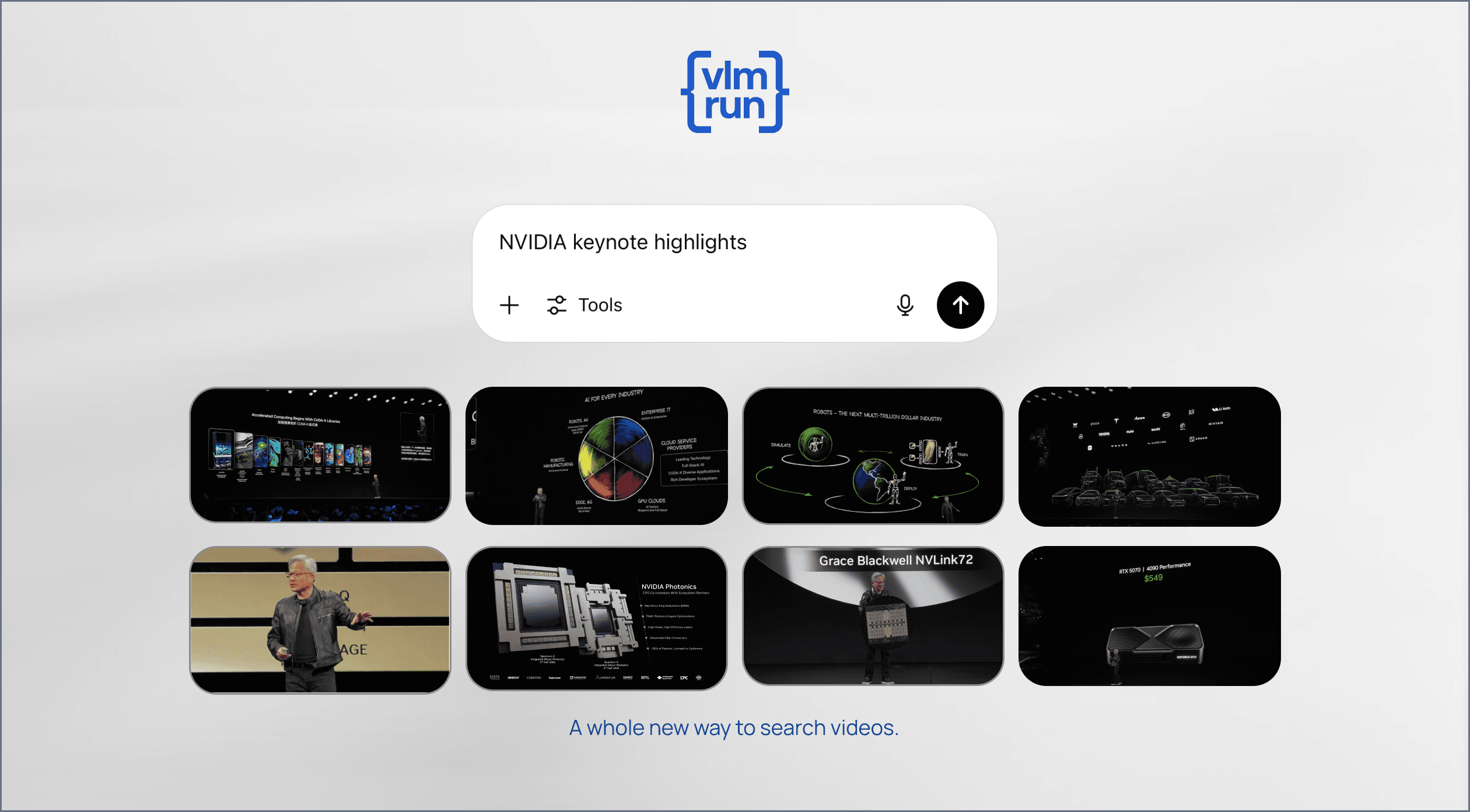
Today we're introducing Artifacts support for the VLM Run Orion Chat Completions API. This update lets you generate, transform, and retrieve images and videos as first-class outputs of an OpenAI-compatible chat completion. No more stitching together brittle URLs or managing custom storage layers.
What are artifacts?
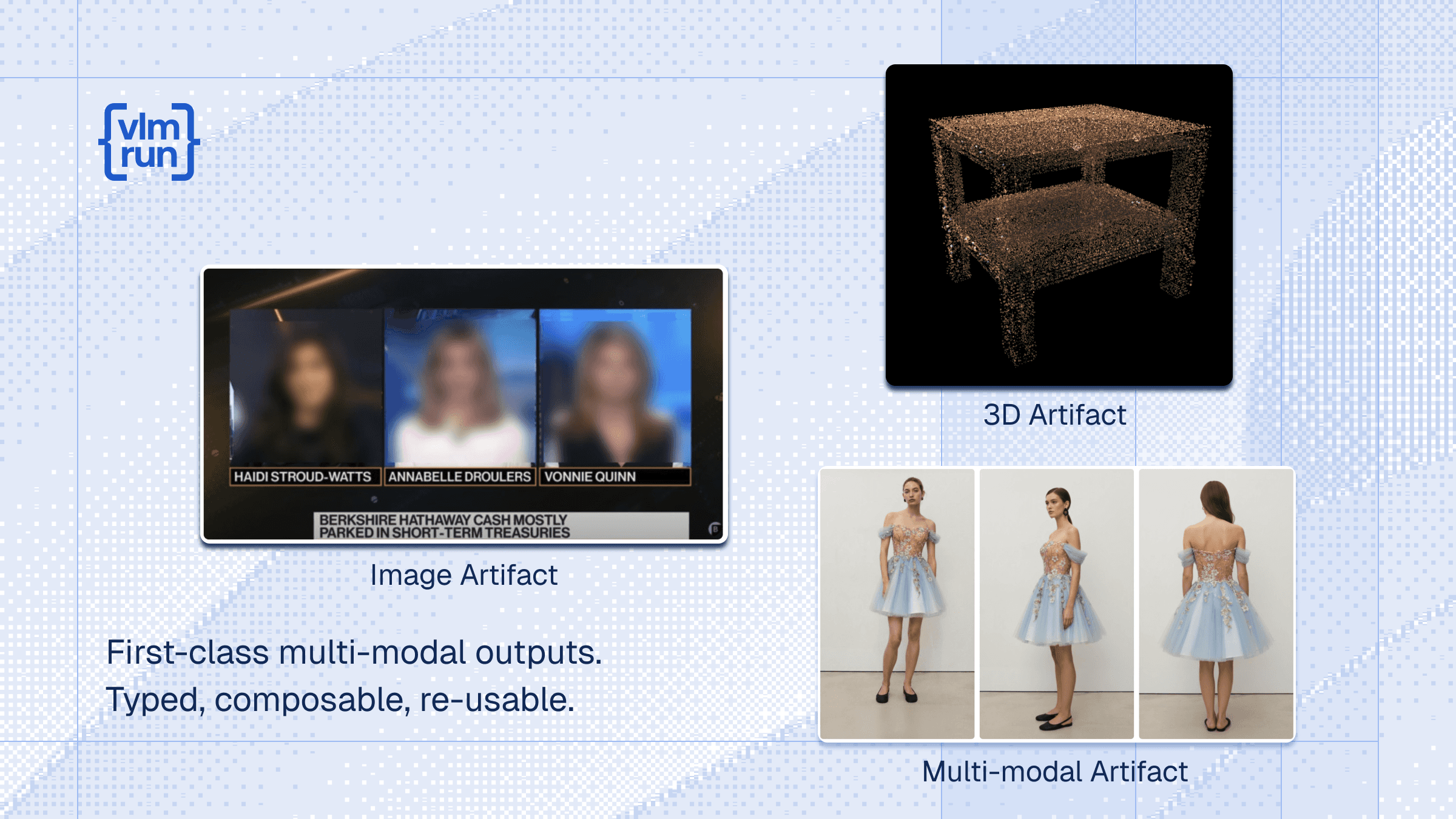
Artifacts are media outputs such as images, video clips, masks, thumbnails, and other derived assets produced during an Orion session. Instead of returning raw URLs (which weakens developer experience as workflows grow more composable), Orion returns typed references like `ImageRef` and `VideoRef` inside your structured response.
These artifact references can be retrieved via structured outputs or fetched asynchronously using `client.artifacts.get(session_id=..., object_id=...)`. Notably, these artifact references can also be passed back in to subsequent chat completions threads as input, making them a first-class part of your multi-modal workflows. This becomes especially important as Orion expands toward tool-calling and more composable multi-modal pipelines, where intermediate media outputs need to be reusable and reliable.
Why we created artifacts
Building real multi-modal systems is rarely "one request in, one response out." Teams chain steps: detect, crop, redact, annotate, generate variants, review, publish. The hardest part is not the model inference, but the glue code that moves media between steps. We created artifacts to make Orion a better substrate for these workflows.
Artifacts make multi-modal outputs composable. When the model creates or transforms media, you receive a stable reference you can store, pass into downstream steps, and reuse across your pipeline – without inventing ad-hoc conventions.
Artifacts remove the "URL tax. Temporary URLs, signed URLs, and external storage add latency and operational complexity. Artifact references keep your workflow typed and structured.
Artifacts keep media handling out of your orchestration logic. Orion stores outputs for the session lifetime, so your app can focus on routing, validation, approvals, and integrations.
Use-case: Virtual Try-On
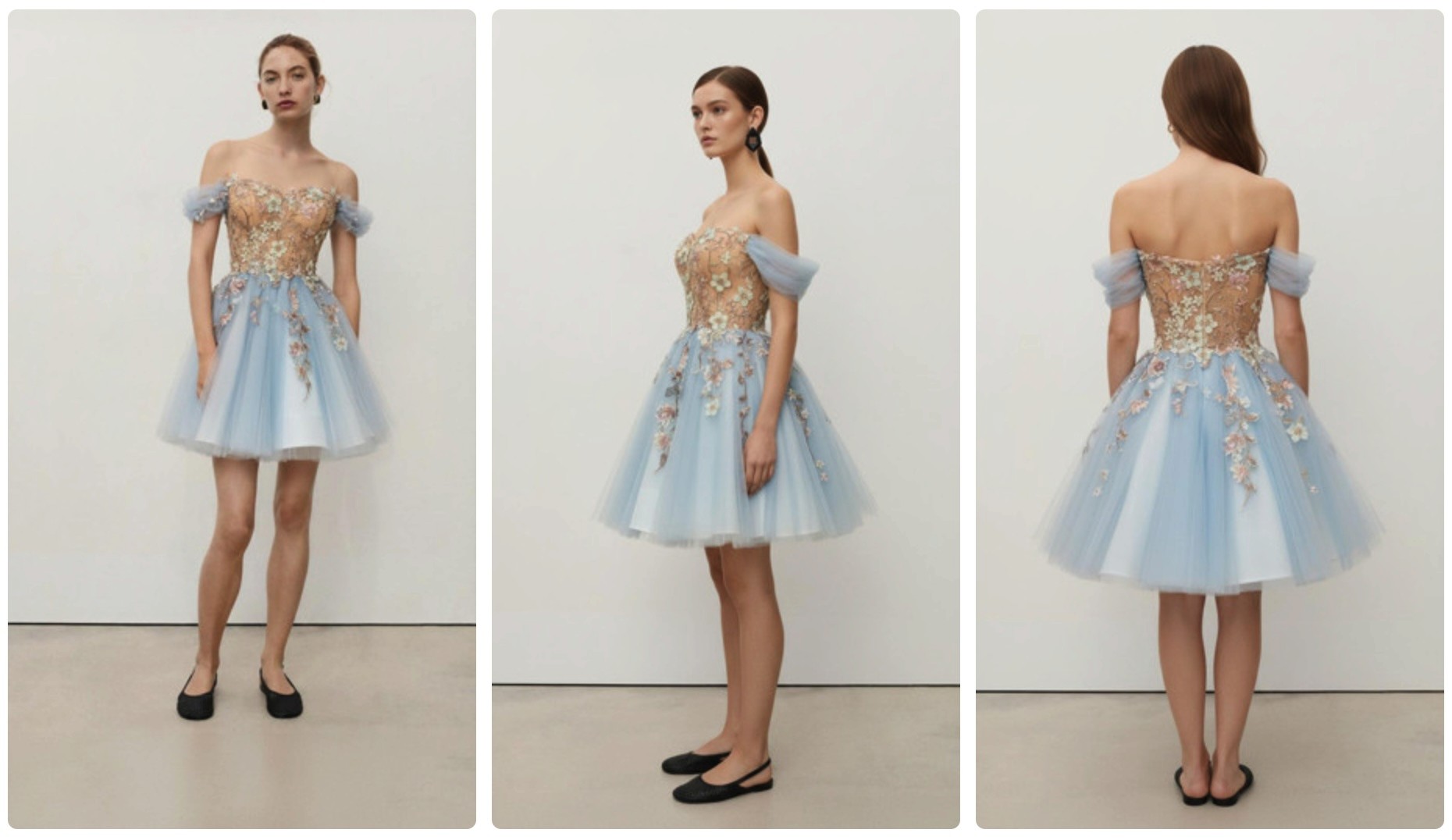
For shopping and styling workflows, you often need multiple consistent outputs (front/back/side) that can be routed to review, listing creation, or personalization systems. Artifacts makes those images a first-class part of the structured response.
from PIL import Image
from pydantic import BaseModel, Field
from vlmrun.client import VLMRun
from vlmrun.types import ImageRef
client = VLMRun(base_url="https://agent.vlm.run/v1", api_key="<VLMRUN_API_KEY>")
DRESS_URL = "https://storage.googleapis.com/vlm-data-public-prod/hub/examples/agent_use_cases/virtual_try_on/dress.png"
PERSON_URL = "https://storage.googleapis.com/vlm-data-public-prod/hub/examples/agent_use_cases/virtual_try_on/person.png"
class GeneratedImagesResponse(BaseModel):
front: ImageRef = Field(..., description="Front view (9:16)")
back: ImageRef = Field(..., description="Back view (9:16)")
side: ImageRef = Field(..., description="Side view (9:16)")
prompt = (
"You are provided with two images: one of a dress (the first image) and one of a person (the second image). "
"Generate highly realistic virtual try-on by seamlessly compositing the dress onto the person, ensuring natural fit "
"and alignment, and that the person appears fully and appropriately dressed. Provide exactly 3 images (9:16 aspect ratio) "
"as output: one from the front, one from the back, and one from the side."
)
response = client.agent.completions.create(
model="vlmrun-orion-1:auto",
messages=[{
"role": "user",
"content": [
{"type": "text", "text": prompt},
{"type": "image_url", "image_url": {"url": DRESS_URL}},
{"type": "image_url", "image_url": {"url": PERSON_URL}},
],
}],
response_format={"type": "json_schema", "schema": GeneratedImagesResponse.model_json_schema()},
)
result = GeneratedImagesResponse.model_validate_json(response.choices[0].message.content)
images: list[Image.Image] = [
client.artifacts.get(session_id=response.session_id, object_id=ref.id)
for ref in [result.front, result.back, result.side]
]
from PIL import Image
from pydantic import BaseModel, Field
from vlmrun.client import VLMRun
from vlmrun.types import ImageRef
client = VLMRun(base_url="https://agent.vlm.run/v1", api_key="<VLMRUN_API_KEY>")
DRESS_URL = "https://storage.googleapis.com/vlm-data-public-prod/hub/examples/agent_use_cases/virtual_try_on/dress.png"
PERSON_URL = "https://storage.googleapis.com/vlm-data-public-prod/hub/examples/agent_use_cases/virtual_try_on/person.png"
class GeneratedImagesResponse(BaseModel):
front: ImageRef = Field(..., description="Front view (9:16)")
back: ImageRef = Field(..., description="Back view (9:16)")
side: ImageRef = Field(..., description="Side view (9:16)")
prompt = (
"You are provided with two images: one of a dress (the first image) and one of a person (the second image). "
"Generate highly realistic virtual try-on by seamlessly compositing the dress onto the person, ensuring natural fit "
"and alignment, and that the person appears fully and appropriately dressed. Provide exactly 3 images (9:16 aspect ratio) "
"as output: one from the front, one from the back, and one from the side."
)
response = client.agent.completions.create(
model="vlmrun-orion-1:auto",
messages=[{
"role": "user",
"content": [
{"type": "text", "text": prompt},
{"type": "image_url", "image_url": {"url": DRESS_URL}},
{"type": "image_url", "image_url": {"url": PERSON_URL}},
],
}],
response_format={"type": "json_schema", "schema": GeneratedImagesResponse.model_json_schema()},
)
result = GeneratedImagesResponse.model_validate_json(response.choices[0].message.content)
images: list[Image.Image] = [
client.artifacts.get(session_id=response.session_id, object_id=ref.id)
for ref in [result.front, result.back, result.side]
]
from PIL import Image
from pydantic import BaseModel, Field
from vlmrun.client import VLMRun
from vlmrun.types import ImageRef
client = VLMRun(base_url="https://agent.vlm.run/v1", api_key="<VLMRUN_API_KEY>")
DRESS_URL = "https://storage.googleapis.com/vlm-data-public-prod/hub/examples/agent_use_cases/virtual_try_on/dress.png"
PERSON_URL = "https://storage.googleapis.com/vlm-data-public-prod/hub/examples/agent_use_cases/virtual_try_on/person.png"
class GeneratedImagesResponse(BaseModel):
front: ImageRef = Field(..., description="Front view (9:16)")
back: ImageRef = Field(..., description="Back view (9:16)")
side: ImageRef = Field(..., description="Side view (9:16)")
prompt = (
"You are provided with two images: one of a dress (the first image) and one of a person (the second image). "
"Generate highly realistic virtual try-on by seamlessly compositing the dress onto the person, ensuring natural fit "
"and alignment, and that the person appears fully and appropriately dressed. Provide exactly 3 images (9:16 aspect ratio) "
"as output: one from the front, one from the back, and one from the side."
)
response = client.agent.completions.create(
model="vlmrun-orion-1:auto",
messages=[{
"role": "user",
"content": [
{"type": "text", "text": prompt},
{"type": "image_url", "image_url": {"url": DRESS_URL}},
{"type": "image_url", "image_url": {"url": PERSON_URL}},
],
}],
response_format={"type": "json_schema", "schema": GeneratedImagesResponse.model_json_schema()},
)
result = GeneratedImagesResponse.model_validate_json(response.choices[0].message.content)
images: list[Image.Image] = [
client.artifacts.get(session_id=response.session_id, object_id=ref.id)
for ref in [result.front, result.back, result.side]
]
Use-case: Compliance and privacy workflows
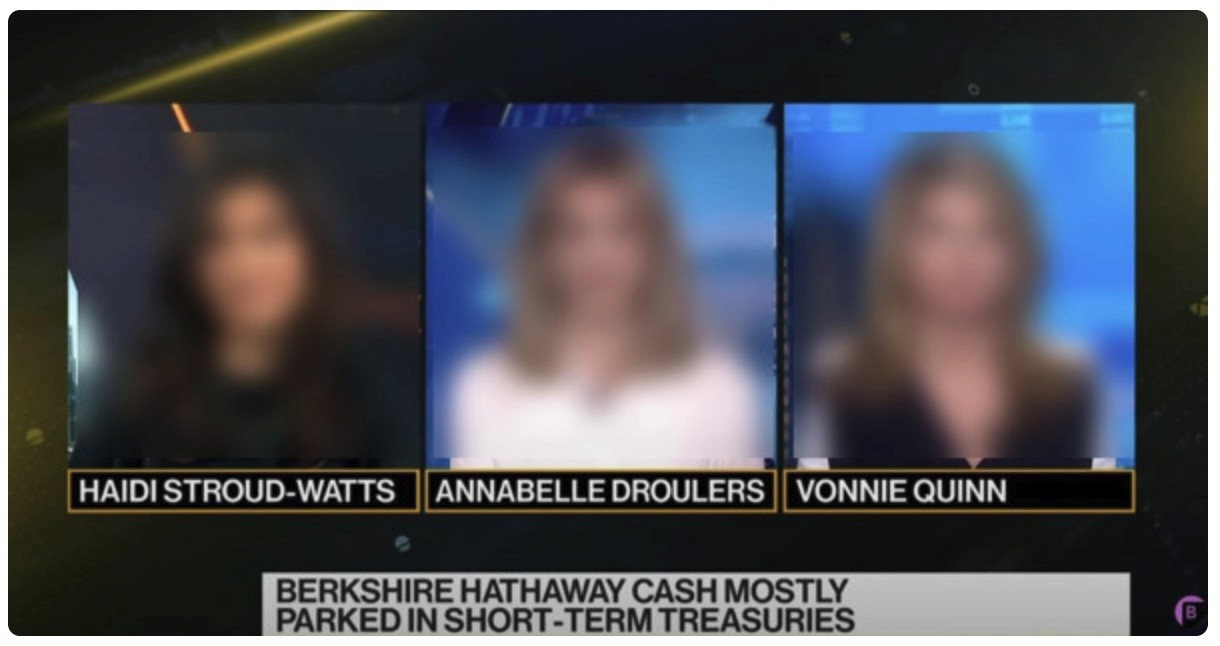
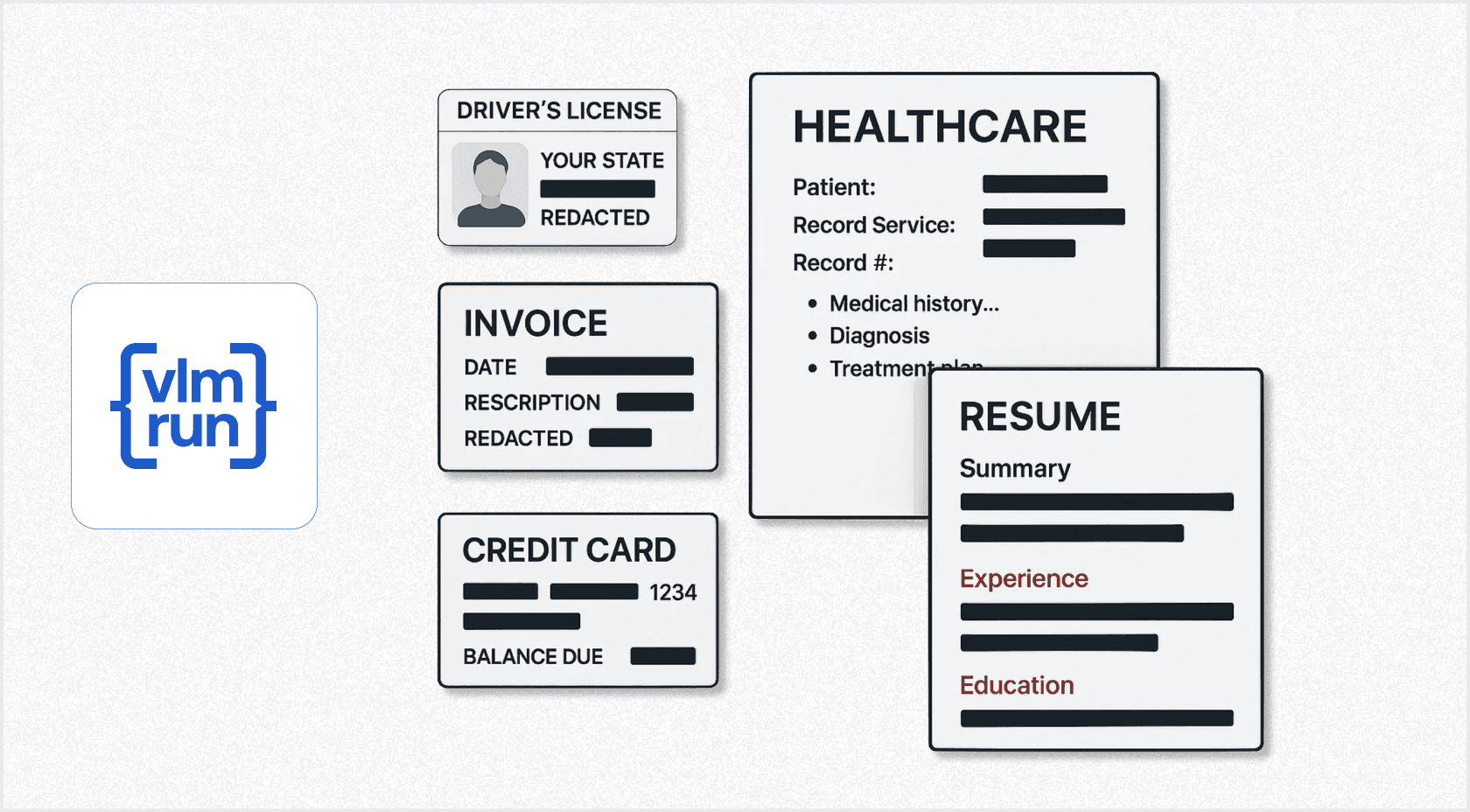
Healthcare, finance, and public sector teams can generate redacted or blurred versions of images and return them as typed outputs alongside the JSON needed for auditability or downstream automation.
from pydantic import BaseModel, Field
from PIL import Image
from vlmrun.client import VLMRun
from vlmrun.types import ImageRef

client = VLMRun(base_url="https://agent.vlm.run/v1", api_key="<VLMRUN_API_KEY>")

class RedactionResult(BaseModel):
    redacted_image: ImageRef = Field(..., description="Image with sensitive regions removed")
    notes: str

response = client.agent.completions.create(
    model="vlmrun-orion-1:auto",
    messages=[{
        "role": "user",
        "content": [
            {"type": "text", "text": "Blur all faces and remove any PHI from this image."},
            {"type": "image_url", "image_url": {"url": "https://example.com/photo.jpg"}},
        ],
    }],
    response_format={"type": "json_schema", "schema": RedactionResult.model_json_schema()},
)

result = RedactionResult.model_validate_json(response.choices[0].message.content)
redacted: Image.Image = client.artifacts.get(session_id=response.session_id, object_id=result.redacted_image.id)
from pydantic import BaseModel, Field
from PIL import Image
from vlmrun.client import VLMRun
from vlmrun.types import ImageRef
client = VLMRun(base_url="https://agent.vlm.run/v1", api_key="<VLMRUN_API_KEY>")
class RedactionResult(BaseModel):
redacted_image: ImageRef = Field(..., description="Image with sensitive regions removed")
notes: str
response = client.agent.completions.create(
model="vlmrun-orion-1:auto",
messages=[{
"role": "user",
"content": [
{"type": "text", "text": "Blur all faces and remove any PHI from this image."},
{"type": "image_url", "image_url": {"url": "https://example.com/photo.jpg"}},
],
}],
response_format={"type": "json_schema", "schema": RedactionResult.model_json_schema()},
)
result = RedactionResult.model_validate_json(response.choices[0].message.content)
redacted: Image.Image = client.artifacts.get(session_id=response.session_id, object_id=result.redacted_image.id)from pydantic import BaseModel, Field
from PIL import Image
from vlmrun.client import VLMRun
from vlmrun.types import ImageRef
client = VLMRun(base_url="https://agent.vlm.run/v1", api_key="<VLMRUN_API_KEY>")
class RedactionResult(BaseModel):
redacted_image: ImageRef = Field(..., description="Image with sensitive regions removed")
notes: str
response = client.agent.completions.create(
model="vlmrun-orion-1:auto",
messages=[{
"role": "user",
"content": [
{"type": "text", "text": "Blur all faces and remove any PHI from this image."},
{"type": "image_url", "image_url": {"url": "https://example.com/photo.jpg"}},
],
}],
response_format={"type": "json_schema", "schema": RedactionResult.model_json_schema()},
)
result = RedactionResult.model_validate_json(response.choices[0].message.content)
redacted: Image.Image = client.artifacts.get(session_id=response.session_id, object_id=result.redacted_image.id)
Use-case: 3D Reconstruction
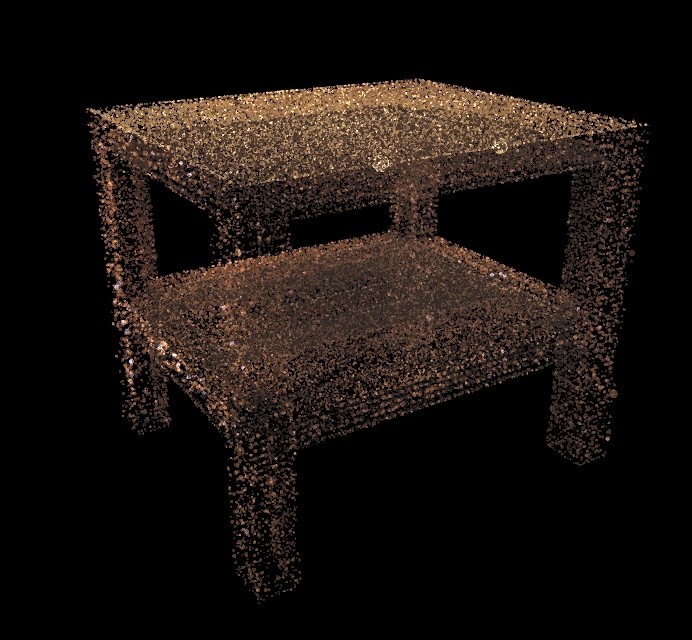
Some workflows produce outputs that aren't just pixels: reconstructions, meshes, splats, and other derived assets. Orion can return these as artifact references too, so you can store the structured metadata in your app and retrieve the actual reconstruction file only when you need it.
from pathlib import Path
from pydantic import BaseModel, Field
from vlmrun.client import VLMRun
from vlmrun.types import ReconRef

client = VLMRun(base_url="https://agent.vlm.run/v1", api_key="<VLMRUN_API_KEY>")

IMAGE_URL = "https://storage.googleapis.com/vlm-data-public-prod/hub/examples/agent_use_cases/guided-segmentation/image-11.png"

class Recon3DResponse(BaseModel):
    recon_path: ReconRef = Field(..., description="3D reconstruction artifact (SPZ format)")

response = client.agent.completions.create(
    model="vlmrun-orion-1:auto",
    messages=[{
        "role": "user",
        "content": [
            {"type": "text", "text": "Generate a 3D reconstruction of the table in the image."},
            {"type": "image_url", "image_url": {"url": IMAGE_URL}},
        ],
    }],
    response_format={"type": "json_schema", "schema": Recon3DResponse.model_json_schema()},
)

result = Recon3DResponse.model_validate_json(response.choices[0].message.content)
recon_path: Path = client.artifacts.get(session_id=response.session_id, object_id=result.recon_path.id)
from pathlib import Path
from pydantic import BaseModel, Field
from vlmrun.client import VLMRun
from vlmrun.types import ReconRef
client = VLMRun(base_url="https://agent.vlm.run/v1", api_key="<VLMRUN_API_KEY>")
IMAGE_URL = "https://storage.googleapis.com/vlm-data-public-prod/hub/examples/agent_use_cases/guided-segmentation/image-11.png"
class Recon3DResponse(BaseModel):
recon_path: ReconRef = Field(..., description="3D reconstruction artifact (SPZ format)")
response = client.agent.completions.create(
model="vlmrun-orion-1:auto",
messages=[{
"role": "user",
"content": [
{"type": "text", "text": "Generate a 3D reconstruction of the table in the image."},
{"type": "image_url", "image_url": {"url": IMAGE_URL}},
],
}],
response_format={"type": "json_schema", "schema": Recon3DResponse.model_json_schema()},
)
result = Recon3DResponse.model_validate_json(response.choices[0].message.content)
recon_path: Path = client.artifacts.get(session_id=response.session_id, object_id=result.recon_path.id)from pathlib import Path
from pydantic import BaseModel, Field
from vlmrun.client import VLMRun
from vlmrun.types import ReconRef
client = VLMRun(base_url="https://agent.vlm.run/v1", api_key="<VLMRUN_API_KEY>")
IMAGE_URL = "https://storage.googleapis.com/vlm-data-public-prod/hub/examples/agent_use_cases/guided-segmentation/image-11.png"
class Recon3DResponse(BaseModel):
recon_path: ReconRef = Field(..., description="3D reconstruction artifact (SPZ format)")
response = client.agent.completions.create(
model="vlmrun-orion-1:auto",
messages=[{
"role": "user",
"content": [
{"type": "text", "text": "Generate a 3D reconstruction of the table in the image."},
{"type": "image_url", "image_url": {"url": IMAGE_URL}},
],
}],
response_format={"type": "json_schema", "schema": Recon3DResponse.model_json_schema()},
)
result = Recon3DResponse.model_validate_json(response.choices[0].message.content)
recon_path: Path = client.artifacts.get(session_id=response.session_id, object_id=result.recon_path.id)Build with Artifacts today!
Artifacts support is available today for all Orion API users. Artifacts are retained for the session lifetime (currently 24 hours). You're billed for the compute used during the chat completion request; retrieving artifacts via client.artifacts.get() is free.
Learn more